
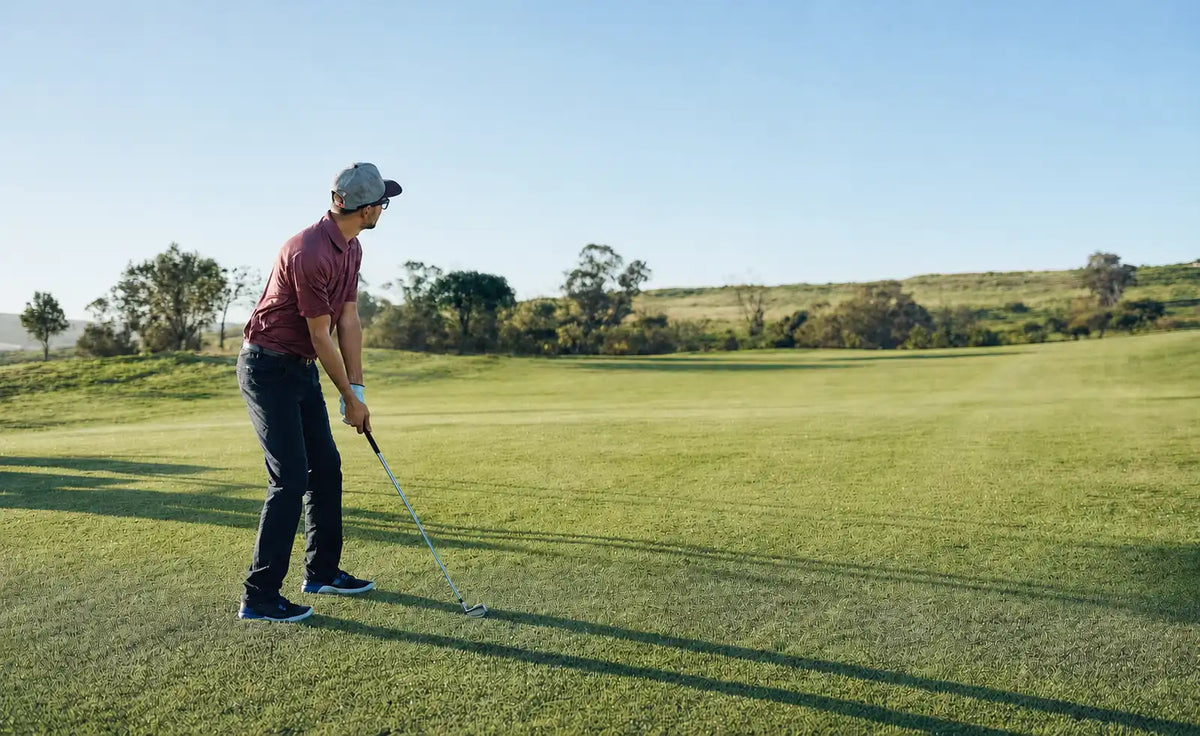
Golfers have more ways to understand a shot than ever.
A modern golf watch may show a full-hole map, hazards, adjusted yardages, green shape, wind, shot dispersion, and even a suggested club. A golf GPS app can combine course mapping with scoring, shot tracking, weather, personal distances, and post-round analysis. Some laser rangefinders now add slope compensation, environmental adjustments, and connections to other GPS devices.
The lines between these tools are no longer as clear as they once were.
Even so, plenty of golfers still use more than one. They might carry a rangefinder while wearing a GPS watch, open an app for a difficult tee shot, and use launch monitor data to establish how far their clubs normally carry.
That is not necessarily overkill. Two devices can show similar information while measuring it differently, presenting it differently, or making it easier to access at a different point in the round.
Why do golfers use multiple golf distance tools?
Golfers use multiple distance tools because overlapping features do not always create the same experience. A rangefinder directly measures visible targets, a watch provides quick course information, an app supports deeper planning, and launch monitor data shows how far each club typically carries.
Golf Tools Now Overlap More Than Ever
The traditional breakdown of golf distance tools used to be simple.
A rangefinder measured the flag. A handheld GPS showed the hole. A watch gave front, middle, and back yardages. A launch monitor stayed on the range and measured ball flight.
That version of the market is outdated.
Many golf watches now include detailed hole maps, hazard and layup distances, green views, plays-like yardages, wind information, shot tracking, and performance statistics. Some can use historical shot data and current conditions to show dispersion or recommend a club.
Golf apps have developed in much the same way. Depending on the platform and subscription level, they may offer adjusted distances, live weather, club recommendations, tee-shot planning, strokes-gained analysis, personal club data, and 3D green maps.
Rangefinders have also added slope compensation, environmental adjustments, and connections to other golf devices. Launch monitors can now combine ball and club data with impact video, dispersion patterns, virtual courses, and long-term performance tracking.
Not every product includes every feature, but modern golf tools increasingly cover the same ground. The remaining differences are often found in how the information is produced and used.
The Difference Is Not Just What the Tools Show
Two devices can display nearly the same yardage and still arrive at it in different ways.
That matters because golfers are not only choosing information. They are choosing how it is measured, how much context appears with it, and how easily it fits into the round.

Direct Measurement
A laser rangefinder measures the distance to a visible point selected by the golfer. That might be the flagstick, a bunker lip, a tree at the corner of a dogleg, or another reference point.
The appeal is straightforward: aim at something visible and get a number tied directly to that target.
Mapped Course Information
GPS tools use the golfer's location and mapped course data to calculate distances to greens, hazards, landing areas, and other points.
This is especially useful when the target is not visible. A GPS map can reveal what sits beyond a rise, how far water extends into the fairway, or how much green is available behind a bunker.
Personal Performance Data
Shot-tracking systems and launch monitors add information about the golfer.
A bunker may require 146 yards to carry. Personal data may show that the golfer's 7-iron normally carries between 142 and 151, with most misses finishing short-right.
The course data describes the problem. The personal data shows how the golfer's normal shot fits into it.
Rangefinders Still Offer Direct Target Confirmation
A laser rangefinder still has a clear place in the bag because it can confirm the distance to a specific, visible target.
That can be useful when the golfer wants an exact flag number, needs to carry the face of a bunker, or is using a tree as a layup reference. There is less interpretation involved than estimating where the flag sits within a GPS green map.
Modern rangefinders can also do more than return raw distance. Many models calculate slope-adjusted yardage, while some account for additional environmental conditions or share the measured number with a compatible watch or app.
Their starting point, however, remains a selected target.
A laser may show that the flag is 151 yards away. It does not automatically explain how the golfer's normal dispersion fits around a back-right pin or whether the safer target sits closer to the middle of the green.
That is why the choice between GPS and a rangefinder is not always a matter of finding the more accurate device. Direct measurement and mapped course context can both be useful without serving exactly the same purpose.
Golf Apps Have Become Decision Platforms
Calling a modern golf app a digital yardage book no longer captures what it can do.
A GPS app may show an interactive hole map, distances to selected targets, hazards, landing areas, green shape, and pin information. Some apps adjust yardage for elevation and weather conditions while also offering shot tracking, club recommendations, scoring, advanced statistics, and post-round analysis.
Once personal data is added, the app becomes more than a source of course information. It can build club-distance histories, identify miss patterns, and use previous shots to provide more personalized suggestions.
The phone usually offers the deepest version of the experience. A larger display makes it easier to study a blind tee shot, compare landing areas, move a target, or review detailed performance data.
The tradeoff is access.
Some golfers are comfortable using a phone before most shots. Others would rather not take it out unless the hole requires a closer look. Bright sunlight, gloves, notifications, and the act of switching between the phone and the course can all affect how naturally an app fits into play.
The information may be excellent. Whether it is the preferred interface depends on the golfer and the moment.
Golf Watches Are No Longer Just Yardage Displays
The old description of a golf watch as a front-middle-back device is now far too narrow.
Many watches can display full-hole maps, hazards, doglegs, layup points, green shape, movable pin locations, adjusted yardages, and wind information. Shot tracking may connect the watch to personal club statistics, while higher-end models can show likely dispersion or recommend a club based on previous rounds and current conditions.
For some golfers, a watch can handle nearly everything they need during a round.
Its main advantage is still speed. The information is already on the wrist, so there is no phone to retrieve and no flag to lock onto. A quick glance may be enough for a straightforward tee shot or approach.
The smaller screen creates a different experience from a phone, though. Detailed hole maps can be available without being as easy to study. Moving around a compact touchscreen may also feel less natural when a golfer wants to compare several landing areas.
That helps explain why someone might use a watch for most shots and still open an app on an unfamiliar tee box. The information can overlap while the interfaces remain useful in different situations.
Launch Monitors Build the Player Model
Course tools explain where the ball needs to go. A launch monitor helps establish what the golfer and club are likely to produce.
A useful session can reveal launch monitor data such as carry range, total distance, launch, spin, ball speed, club delivery, peak height, and left-to-right dispersion. It can also help establish a stock carry yardage for each club, the distance a normal, repeatable swing tends to produce under neutral conditions.
That number is usually more useful on the course than the longest shot a golfer has ever hit.
A golfer may remember hitting an 8-iron 155 yards, while launch monitor data shows a stock carry closer to 147 with a typical window of 143 to 150. If a bunker requires 148 to clear, the occasional 155-yard strike is not the most useful number for the decision.
Modern launch monitors can also include impact video, club gapping, target practice, virtual courses, and long-term performance tracking. Their most relevant contribution to an outdoor round remains the player model they help build: realistic carry, common dispersion, normal trajectory, and club tendencies.
The launch monitor does not need to be beside the ball during the round. Its value travels with the golfer through better distance expectations.
That is how launch monitor data becomes useful in on-course decisions, rather than remaining a collection of range numbers.
Which Golf Distance Tool Setup Is Right for You?
The best golf distance tool combination depends on how much information a golfer wants, how quickly they want to access it, and whether they prefer mapped course data or direct target measurement.
Some golfers need only a watch or app. Others combine GPS with a rangefinder and use launch monitor data to establish reliable club yardages.
For the Simplest Setup: A Watch or GPS App
A watch works well for golfers who want course information with very little interaction. An app is a better fit for those who prefer a larger map, more detailed planning, and deeper performance analysis.
Either one may be enough for a golfer who does not need an exact laser distance to the flag.
For Quick Context and a Precise Target: GPS Plus a Rangefinder
This combination gives the golfer both a mapped view of the hole and a direct measurement to a visible target.
The GPS device can show the front and back of the green, hazards, and available landing space. The rangefinder can confirm the flag or another specific point. This setup is especially useful on unfamiliar courses or approaches where pin position changes the shot.
For a More Data-Driven Setup: GPS Plus Personal Club Data
A golfer who uses shot tracking or a launch monitor can compare course requirements with stock yardages and normal dispersion.
The GPS tool shows what the shot requires. Personal data helps determine which club can cover that requirement often enough to make sense.
| Setup | Best for | Main tradeoff |
|---|---|---|
| Golf watch | Fast, low-effort course information | Smaller display |
| GPS app | Detailed maps, planning, and analysis | More phone interaction |
| Rangefinder | Direct measurement to visible targets | Less automatic course context |
| GPS plus rangefinder | Hole context and exact target confirmation | Two devices to manage |
| GPS plus personal club data | Decisions based on actual carry and dispersion | Requires reliable tracked data |
There is no requirement to build the most complicated setup. The right combination is the one that provides useful information without adding more interruption than value.
The Problem Is No Longer Missing Information
The modern golfer is more likely to have several answers than none.
A watch may show raw distance, plays-like yardage, the front and back of the green, and a suggested club. A rangefinder may return a slightly different adjusted number. An app may include additional weather data. Personal records may suggest a club that does not match the golfer's memory of one unusually long shot.
The important question is what each number represents.
Was it measured directly or calculated from a course map? Does the adjustment include only elevation, or also weather conditions? Is the club suggestion based on manually entered distances or tracked shots? Does the number describe the flag, the middle of the green, or the carry over trouble?
Consider an approach from around 150 yards. The watch shows that the shot is playing longer. The laser confirms the flag but reveals that it sits close to the back edge. Personal data shows that the golfer's stock 8-iron does not reliably cover the front bunker.
The useful conclusion is not simply that the flag is 150 yards away. The shot still requires a target, a club, and an acceptable miss.
That is the difference between receiving information and understanding what to do with it.
The Next Step Is Better Coordination
Golf technology does not need another isolated number.
A more useful direction is better coordination between course data, direct measurement, weather, personal performance, and the interface used during play.
Some product ecosystems already move information between a rangefinder, watch, and phone. Shot-tracking platforms carry personal club histories from one round to the next. Launch monitor sessions can inform the yardages a golfer trusts elsewhere.
Each interface can then take on the role that suits it best. The phone can handle setup, detailed planning, and post-round analysis. A watch can surface information quickly. A rangefinder can confirm a visible target. An eyes-up display can reduce the need to switch attention to another screen.
The goal is not to place every available metric on every device. It is to make the relevant information easier to reach when it matters.
Where BirdiLens Fits
BirdiLens is being built around this connected view of the shot.
The BirdiLens app brings together course mapping, target and hazard distances, pin information, plays-like conditions, scoring, and performance data. Personal launch monitor data can add more realistic carry distances and club tendencies instead of relying on guesswork or one perfect strike.
BirdiLens AR golf sunglasses extend that approach into an eyes-up interface. Key pin, green, hazard, and shot information can appear closer to the golfer's natural view of the hole, reducing the need to look down at a phone before the shot. Instead of moving back and forth between the course and a screen, the golfer can stay more connected to the target and the shot in front of them.
The value comes from connecting what the hole requires with what the golfer is likely to produce. That is also the idea behind a broader golf shot decision system: distance becomes more useful when it is connected to the target, trouble, club, and normal miss.

The Best Tool Depends on the Moment
Modern watches, apps, rangefinders, and launch monitors now share many capabilities. That overlap has not made every tool interchangeable.
One golfer may be completely satisfied with a watch. Another may prefer GPS and a laser. Someone else may use launch monitor data during practice and carry those stock yardages into every round.
The useful question is not which tool has the longest feature list. It is which information matters for the shot, and which interface makes that information easiest to use.

FAQ
Do I need both a rangefinder and GPS?
Not necessarily. GPS may be enough if the main priority is green, hazard, and landing-area distances. Using both makes sense when the golfer also wants direct measurements to visible targets such as the flag or a bunker lip.
Should I use a golf watch or a GPS app?
A golf watch is a better fit when quick access matters most. A GPS app is better suited to larger maps, detailed planning, and deeper analysis. Some golfers use a watch for most shots and open the app only when a hole requires a closer look.
Share:
How to Use Launch Monitor Data to Make Better On-Course Decisions
What Information Should Golfers Check Before Every Shot?