
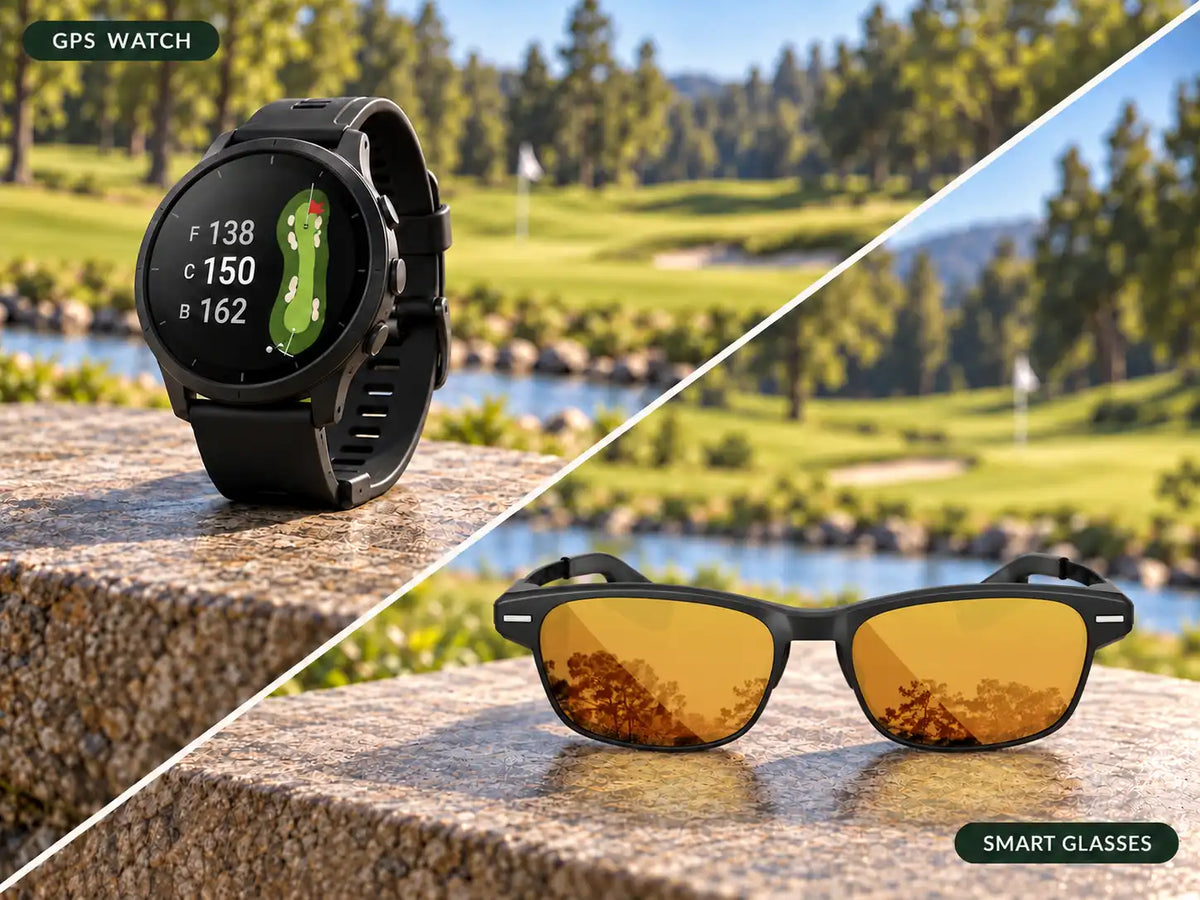
A golf GPS watch puts course information on your wrist, while display-equipped golf smart glasses place selected information near your line of sight. A watch may suit golfers who prefer familiar controls and a dedicated wrist display. Glasses may appeal to golfers who want fewer downward glances, provided the fit, display, and connected-phone requirements work for them.
You're planning a layup on a par 5. A creek crosses the fairway, and you want the distance to the safe landing area. Your watch can help you check the hole. Golf glasses offer another place to view supported information.
The choice starts with how you like to prepare for that shot. You may already be comfortable raising your wrist. Or you'd prefer to keep selected yardages in view while studying the fairway.
The Main Difference Is Where You Look
Compare the same task on each device: reach the ball, check a distance, review the relevant hazard, and choose a club.
With a watch, you raise or turn your wrist, read the screen, and use its controls for another view. With glasses, you look at the in-lens display and use the supported controls to access information. A detailed map or setting may still require the phone.
That difference can feel significant if you often compare course details with the terrain ahead. It may feel minor if one wrist check already gives you everything you need.
Fewer downward glances don't establish that a golfer will play faster or score better. Try the complete routine and notice whether you can settle on the shot comfortably.
Yardages and Course Information
Both formats can provide front, middle, and back green distances. Hazard yardages, hole maps, green views, and pin information depend on the model, software, and sometimes a membership.
Compare the information you actually use. Can you identify both sides of a creek? Does the map show enough of a dogleg? Can you distinguish a green-center distance from a selected pin position? A short list of clear answers is more useful than two similar feature lists.
The display doesn't determine GPS accuracy. Position, mapped points, and pin settings still matter. Putting a yardage in glasses doesn't improve the underlying location data automatically.
Also distinguish information available in the connected app from information visible on the wearable. A detailed phone map doesn't mean the glasses show that same full view. Some watches provide extensive maps directly on the wrist.
Viewing and Controls During a Round
A watch gives you a screen you can inspect and operate directly. Touchscreens support tapping and swiping; physical buttons may provide another way to reach common functions. The Garmin Approach S44, for example, has a touchscreen and two buttons, with documented roles for starting golf and returning to the previous screen.
Glasses may use voice, gestures, frame controls, or an app, depending on the product. BirdiLens GV1 supports voice and gesture controls for selected functions, with settings managed through its app.
Try the tasks that matter under outdoor conditions. With your glove on, change from a green yardage to a hazard view. Check readability in direct sun and shade. If rain is part of your normal golf, ask how the supported controls behave when wet.
For voice, test outdoors and consider whether you'd feel comfortable speaking commands near your playing partners. Wind and surrounding conversation make that a different setting from a quiet indoor demo.
Finally, check how information leaves your attention. Can you lower your wrist or hide the HUD and prepare to swing without another adjustment? Notice how calls and notifications appear, too.
Fit and Everyday Comfort
A watch and glasses place their weight on different parts of the body. Similar gram figures won't tell you which feels better.
For a watch, try the strap at a comfortable setting and make practice swings. Notice contact with your glove or sleeve, pressure when your wrist bends, and how easily you can read the screen at your preferred angle.
For glasses, check the nose bridge, temple pressure, and stability when looking down. Wear your usual cap during the fitting. If you need prescription correction, confirm the lens arrangement and whether you can see both the course and display clearly.
Think about the rest of the day as well. A watch may remain useful for other activities, although health and fitness functions vary by model. Glasses need to suit your eyewear preferences and the light conditions in which you play. Comfort during a brief fitting is only the first check.
Battery Life and Phone Requirements
A dedicated GPS golf watch can obtain its own position and use installed course data. In the S44's documented golf workflow, the watch acquires satellites and presents nearby courses. Phone pairing supports connected functions, while the app also handles tasks such as syncing and course updates.
That capability isn't universal across every watch or app-based setup. Check the exact model rather than assuming all wrist displays work independently.
BirdiLens GV1 uses the BirdiLens app for course information and connected functions. Include the phone in your readiness check: compatibility, charge, and the connection required for the views you plan to use. Confirm what remains available if that connection drops.
For endurance, compare golf use with golf use. Garmin lists up to 15 hours of typical use in all-satellite-systems mode for the S44. That is more relevant here than its smartwatch-mode figure.
For glasses, request the conditions behind the runtime claim, including display activity and connected-phone use. Brightness, enabled features, and time spent actively viewing information can affect the comparison. A charging case's capacity also differs from uninterrupted runtime while wearing the glasses.
Purchase Price and Ongoing Costs
Compare what you would need to spend from today. If you own a watch that meets your needs, its original purchase price doesn't become an expense again when you consider glasses.
For a new setup, include hardware, required accessories, and any lens costs. Then check which software functions require payment. Garmin's S44 documentation identifies detailed maps, green contours, and touch targeting among membership features. BirdiLens currently advertises its app as free with no subscription needed.
Choose the functions you want before comparing ownership costs. An optional membership belongs in the budget if you plan to use it. An accessory you won't use doesn't need to be added simply because it appears alongside the product.
Which Option Fits Different Golfers?
Golfers Who Prefer a Watch
A watch is a practical choice if wrist checks already feel natural, you prefer direct screen controls, and your preferred model covers the course information you use.
Independent basic GPS operation may be another reason to choose a dedicated golf watch. If you also want everyday fitness or health tracking, confirm those specific functions; a golf watch doesn't automatically offer every capability of a multisport model.
Golfers Who Prefer a Display in Their Glasses
Glasses are worth considering if you're happy wearing them and often want to reference selected yardages while facing the hole.
The fitting should resolve whether the display sits comfortably in view and whether its controls suit you. Once those questions are settled, try a familiar hole to judge the change in your routine without also learning a new course.
Golfers Who Already Own Both
Give each device a job, then notice whether you need it. You might keep your watch for everyday functions while using glasses for course information. You could also use one wearable on the course and leave the other at home.
Don't assume products from different brands synchronize with each other. Wearing two devices doesn't establish a shared scorecard, pin position, or club-data record.
For a broader selection process, see How to Choose Golf Technology.
Where BirdiLens Fits
BirdiLens GV1 is an option for golfers interested in an eyes-up interface. Its published features include selected green and hazard information and an automatic display on/off system designed to let the HUD step back when it isn't needed.
The table below uses the Garmin Approach S44 as one specific watch example. It compares published information checked on October 26, 2026.
| Comparison | BirdiLens GV1 | Garmin Approach S44 |
|---|---|---|
| Display | Selected information in an in-lens HUD | AMOLED display on the wrist |
| Data source | Course information through the connected BirdiLens system | Own satellite positioning and installed course data |
| Controls | Voice, gestures, and app for supported tasks | Touchscreen and two physical buttons |
| Phone dependence | BirdiLens app needed for course information and connected functions | Basic golf positioning on the watch; phone needed for connected functions |
| Battery comparison | Confirm runtime for the intended display and phone-use pattern | Manufacturer lists up to 15 hours in all-satellite-systems mode |
| Ownership cost | Hardware, chosen lenses/accessories; current app offer is free | Hardware plus membership if you want its paid features |
| Strongest fit | Golfers who prefer selected information near their view of the hole | Golfers who prefer a wrist display and dedicated GPS operation |
For more on the display approach, read How AR Golf Glasses Work.
See How GV1 Displays Course Data
Frequently Asked Questions
Are golf smart glasses more accurate than a GPS watch?
Not inherently. Compare the positioning system, course mapping, and target settings. Display location alone doesn't improve the yardage.
Can a GPS watch work without a phone?
Some dedicated models can provide basic golf information using their own GPS and installed maps. Connected functions and updates may still require a phone.
Can I use golf glasses and a watch together?
Yes, but check compatibility before expecting data to synchronize. You can also use them independently for different purposes.
Which option is easier to use while walking?
It depends on the controls and fit. Check a common yardage with each device during a walking trial, then compare how much adjustment and interaction it requires.
Share:
Can Golf Smart Glasses Replace Your Laser Rangefinder?