
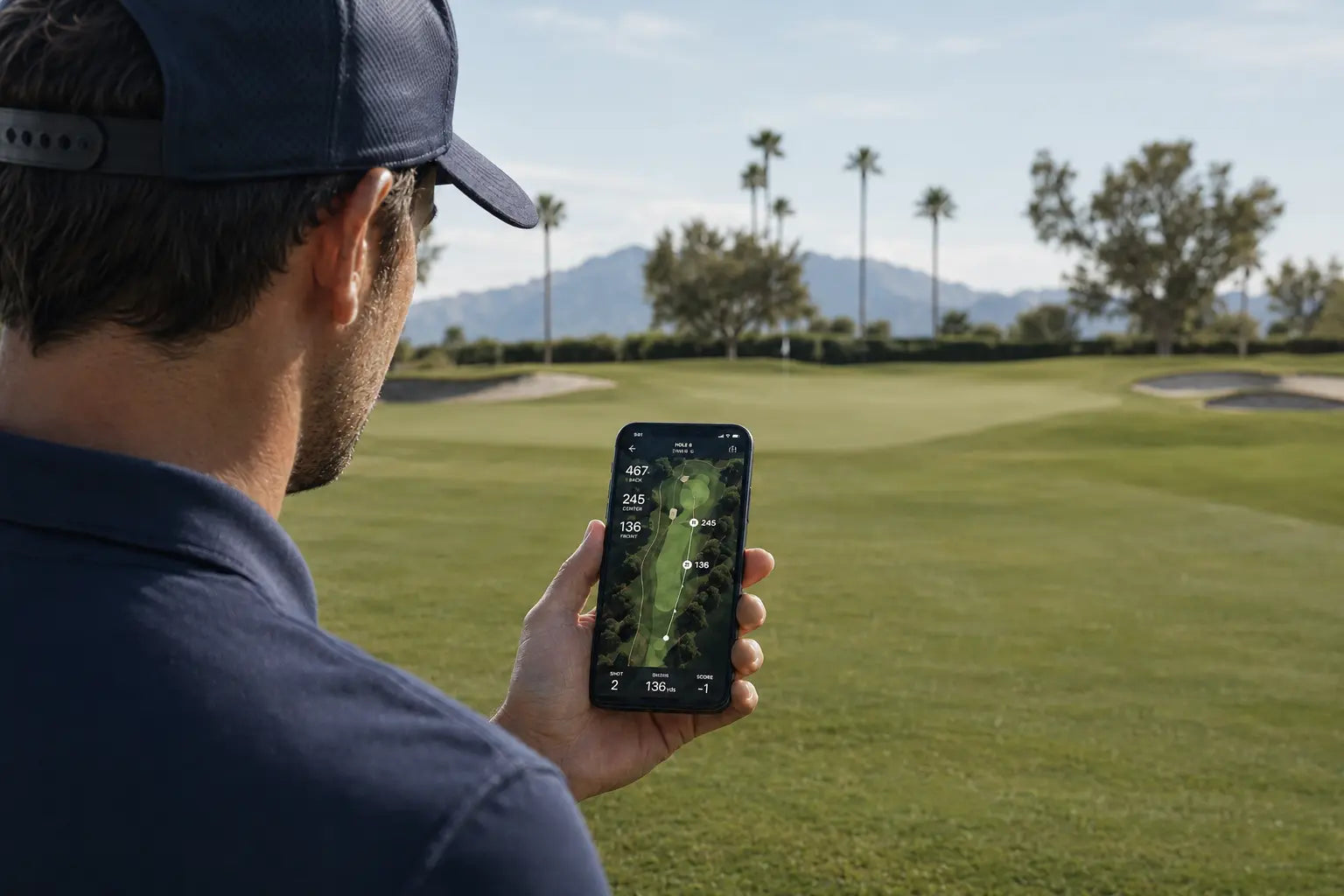
Free golf apps can be useful, but not every app is useful in the same way.
When choosing one, start with practical fit. Does it provide the course information you need, work smoothly on your phone, and make that information easy to access during a round?
Those checks tell you whether the app fits your round. They do not necessarily tell you whether it will help you make better decisions.
An app can give you the right yardage and still leave you uncertain about club choice, carry, wind, target, or risk.
Why don’t free golf GPS apps always help golfers improve?
Free golf GPS apps do not always help golfers improve because providing information is not the same as helping golfers apply it. The best free golf app depends on what you need during a round. Look for reliable GPS yardages, clear course maps, hazard distances, scorekeeping, support for your iPhone or Android device, and useful shot context such as elevation changes, wind conditions, or plays-like distance. Also check which features are free and whether any require a subscription or additional hardware. The app should make on-course decisions easier—not just give you more numbers.
What to Look for in a Free Golf App
Before judging whether a free golf app can improve your decisions, check whether it fits the practical needs of your round.
| Check | What to Look For |
|---|---|
| GPS distances | Distances to the front, middle, and back of the green, plus relevant hazards and landing areas |
| Course maps | A clear view of the hole shape, trouble, and available playing space |
| On-course usability | Information that can be reached quickly without too many screens or taps |
| Shot context | Wind, elevation, plays-like distance, carry, or target information when available |
| Scoring and stats | Fast score entry and tracking that produces information you will actually use |
| Phone compatibility | Support for your iPhone or Android device and an actively maintained app version |
| Free and paid access | A clear explanation of what is included free, what requires payment, and whether free access expires |
| Additional hardware | Whether the functions work on the phone alone or require a watch, sensor, or separate device |
Not every golfer needs every feature. Someone looking for quick green distances may need less than a player who wants adjusted yardages, shot tracking, and deeper course context. The useful question is whether the available features match what the golfer wants to do during the round.
Check Compatibility, Pricing, and Hardware Requirements
Platform support is a practical filter. An app may be available for iPhone but not Android, or certain features may work differently across the two versions. Golfers should confirm that the app supports their phone and that its most useful functions are available on that platform.
"Free download" can describe different models, including a usable free version, limited access, a trial period, advertising, or optional paid services. Some features may work entirely through the phone, while others may require a watch, sensor, or separate device. These details do not determine whether an app is good or bad, but they do determine what the golfer can actually use.
Once those practical requirements are covered, the more important question is how well the app helps the golfer use that information during the round.
Information Is Only the Starting Point
A golf app can provide yardages, course maps, scoring, and performance data without making the decision for the golfer. Those features are useful regardless of whether the app is free or paid.
Measuring golf distance accurately is still the starting point. Knowing that the green is 150 yards away is better than guessing. But that number does not automatically show whether the shot is uphill, into the wind, carrying a bunker, or aimed at a pin that leaves little room for error.
During a round, most golfers do not want to work through several screens before every shot. Checking one number and moving on is understandable. The problem appears when that number is treated as the complete answer.
The golfer may still need to ask what the ball must carry, where the manageable miss is, how the lie affects the shot, and whether their usual club for that distance fits the available space.
Data becomes valuable when it changes the decision in front of the player. A golfer can know an average club distance and still choose the wrong club when elevation changes how far the shot plays or when wind changes carry and direction. The missing step is not necessarily more information. It is connecting the available information to the shot.
What Better On-Course Support Should Look Like
Some golfers eventually want more than a raw distance. They want to understand why the same yardage plays differently from one hole to the next, whether their club choice fits the required carry, and where the safest landing area is.
That shift is not necessarily from free to paid technology. It is from receiving information to applying it.
Better on-course support should make that application easier without overwhelming the golfer. It might come through clearer course maps, plays-like distance, wind and elevation context, club history, shot-tracking feedback, target information, or visual guidance.
A useful golf shot decision system should connect the relevant information to the shot in front of the golfer. The goal is not to display more numbers. It is to make the next decision easier to understand.
From Free App to Better Decision Support

Golf GPS information can be a helpful starting point. For many golfers, they are the first step toward playing with more awareness.
But if your goal is improvement, the next step is not simply checking more numbers. It is learning how those numbers connect to the shot you are about to hit.
That is where golf technology is starting to move: from displaying GPS and scoring information toward clearer decision support.
Systems like BirdiLens are built around that shift — helping golfers understand distance, course context, and shot decisions more naturally during play. Not because basic apps are bad, but because the moment before the swing needs more than a number on a screen.
Free golf GPS apps can make the game easier to navigate.
They can help you see the hole, track the round, and avoid playing completely blind.
But improvement usually requires something deeper than knowing the yardage. It requires understanding how the shot is actually playing, what decision fits the situation, and how to commit once that decision is made.
An app can tell you where you are.
The next step is understanding what to do from there.
FAQ
Are free golf GPS apps worth using?
Yes. A free golf GPS app can be worth using when its included features match what you need during a round. That may include GPS yardages, course maps, hazard information, scorekeeping, performance tracking, or environmental context. Those features can improve awareness, but better decisions still depend on connecting the information to the shot.
Why don’t free golf apps always help golfers improve?
Because many golfers use them only to check the number.
They see 150 yards, pick the club they usually hit from 150, and move on. But on the course, that number can change quickly once wind, slope, lie, carry distance, and landing area get involved.
So the issue is not that free golf apps are useless. The issue is that yardage alone does not always change the decision. If the app gives you a number but you still do not know how the shot should fly, land, or miss, your game may not improve much.
What should golfers look for in a free golf app?
Look for reliable GPS yardages, clear course maps, fast on-course access, scoring or tracking features you will actually use, and useful shot context such as wind, elevation, plays-like distance, or hazard carries.
Also check platform compatibility, which features are free, and whether any functions require a subscription or additional hardware. A useful app should help turn course information into a clearer shot plan.
Share:
Why Golf Decisions Feel So Uncertain
Why Golf Apps Don’t Work the Way You Think During a Round